1
Fill your cart
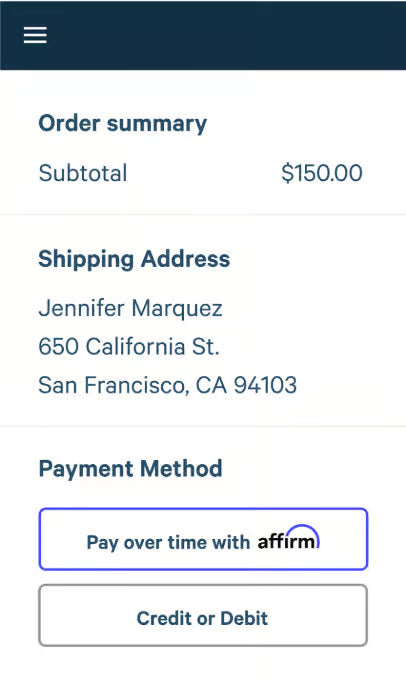
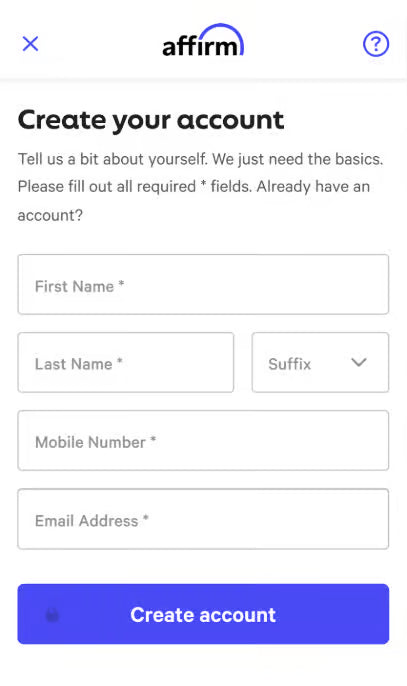
Select Affirm at checkout, then enter a few pieces of info for a real-time decision.

Just select Affirm at checkout.
Select Affirm at checkout, then enter a few pieces of info for a real-time decision.
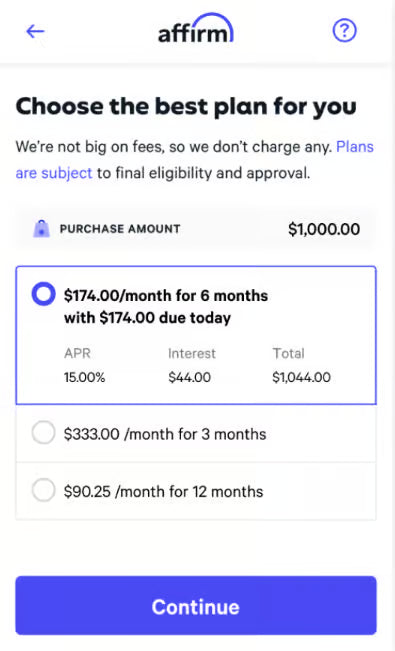
Pick the plan that fits your budget. You’ll never pay late or hidden fees.
Make payments at affirm.com or in the Affirm app. You’ll get reminders by text and email.
With Affirm, you’ll always know exactly what you owe and when you’ll be done paying.
See your total cost up front. No surprises during checkout.
Choose a payment schedule that works for your budget.
You’ll review your terms before you place your order.
Yes! There’s no penalty for paying early.
You can make or schedule payments at affirm.com or in the Affirm app for iOS or Android. Affirm will send you email and text reminders before payments are due.
Yes—you can return an item you bought with Affirm by initiating the return process with the store.
No, your credit won't be affected when you create an Affirm account or check your eligibility (including checking your pre qualification eligibility). When you apply for or check to see if you prequalify for Affirm financing, it's considered a soft inquiry,
which does not affect your credit. If you decide to pay with installments through Affirm, your payment plan and repayment activity may be reported to credit bureaus.
You can find more information on Affirm's Help Center.
Yes, you’ll need a mobile phone number from the U.S. or U.S. territories. This helps Affirm verify it’s really you who is creating your account and signing in.
You can visit their website at affirm.com.